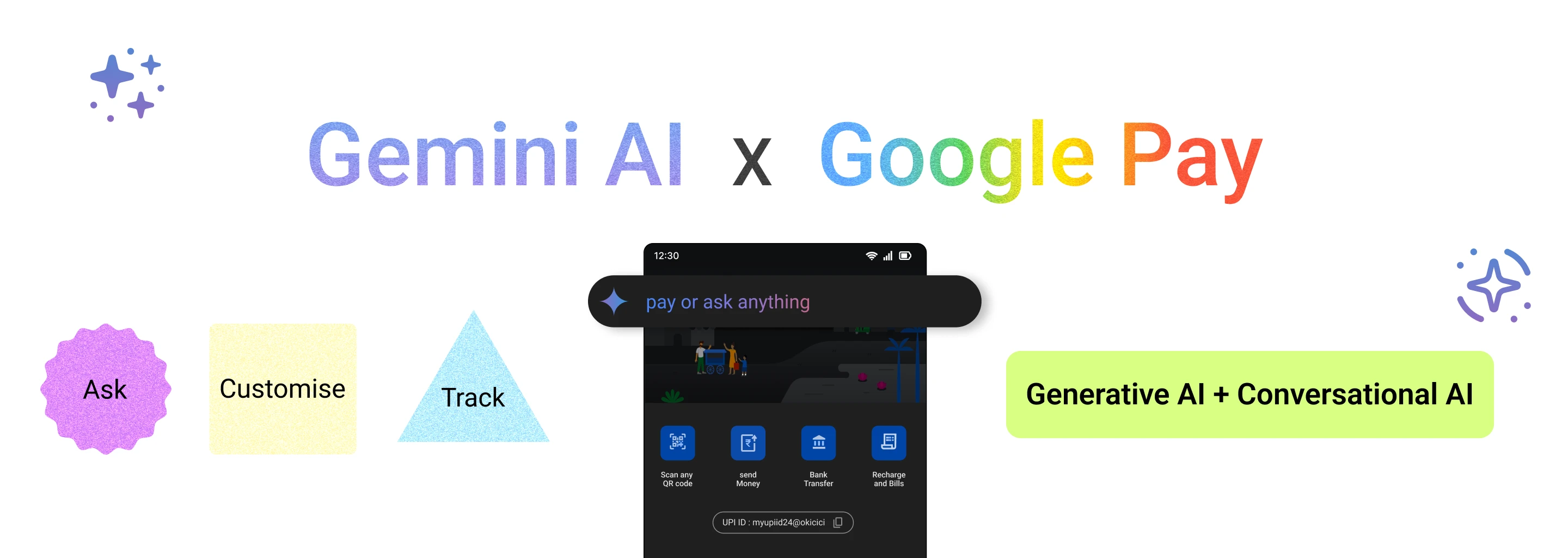
AI Product Exploration
How I incorporated AI in the Google Pay app
A conversational, generative layer over UPI payments, so anyone can simply ask where their money went.
A few weeks ago I attended a workshop on generative AI, and came away with a clear sense of how it is being used in today’s applications — and an itch to find a use for it that would matter.
While I was looking, something clicked. I had been spending without control, and since linking my bank account to UPI, I found it hard to keep track of where the money went. It isn’t just me: many people have the same problem. So I set out to put AI inside a UPI app to address it.
Digital payments in India have surged in recent years, and the Unified Payments Interface has become the preferred choice for millions: India recorded about 131 billion UPI transactions in FY24. As people embrace the convenience, there is a real need for something that gives them back control.
The backdrop of the problem
When people paid in cash, they felt every rupee leave. With UPI, that awareness fades: a payment barely feels like spending at all, so it happens more often. That shift in behaviour is part of why UPI volumes keep climbing.
“People spend on UPI as if it isn’t real money.”
The result is a long, unruly list of transactions that is hard to follow and harder to categorise — and no personal guidance to help anyone set a financial goal, let alone meet it.
How the user base grew
Until 2014, only 53% of adults in India had a bank account. By FY21, nearly 90% did — the result of financial-inclusion schemes such as Jan Dhan Yojana, which put a bank account within reach of almost every Indian. Add UPI’s ease of use, and the fact that everything from bills to shopping has moved online, and more people pay by UPI every year.
A survey published on arXiv found that 81.1% of UPI users use it every day — on average more than 30 transactions a month. Of the respondents, 51.6% were students, 42% working professionals and 4.7% business owners.
What people run into
- Difficulty in tracking
- With a large number of transactions, keeping track of spending, let alone managing it, becomes hard.
- Identifying patterns
- At that volume, patterns and trends in spending are difficult to see, so finances are harder to manage.
- Limited insights
- The sheer number of transactions gets in the way of any meaningful insight into habits or financial health.
- Overspending
- More transactions lead to more spending, especially when no one is actively watching.
- Lack of personalisation
- Existing finance trackers feel generic: their insights are not tailored to the person using them.
- Lack of guidance
- Nothing helps people set a goal and actually reach it.
How can I solve this?
An analytics page is the obvious answer: charts that let people make informed decisions. But more than 260 million people use UPI in India, and not all of them are comfortable reading analytics.
My hypothesis was that a dashboard designed for everyone serves no one well. People with less exposure to charts struggle to draw insight from them; people who read charts easily still don’t get the personal, predictive answers they want. The answer had to work for the broadest possible range of people.
Gemini, combining conversational and generative AI, does. People can simply ask — for personalised insights and recommendations, for real-time guidance on budgets and goals — and get an answer shaped to them.
- Conversational AI
- Lets a computer understand and respond to human language naturally. Here, it means tracking your spending is a conversation, not a chore.
- Generative AI
- Creates new content — text, images, audio — much as a person would. Here, it reads spending patterns and generates the insight, suggestion or graph that answers the question.
Will people understand it?
AI is arriving in everyday apps quickly, and people are adapting with it. Amazon and Spotify use generative AI well; WhatsApp and Instagram have put Meta AI in front of billions. These tools explain themselves, and ChatGPT has made talking to an AI feel normal.
That familiarity suggests people are ready to understand — and benefit from — an AI-powered search inside a UPI app.
“A dashboard designed for everyone serves no one well. So let people ask.”
For the business
- User engagement
- An assistant people return to makes them more likely to use the app regularly.
- Revenue streams
- Engagement, retention and transactions grow revenue — and advanced insights could become a subscription.
- Competitive edge
- It sets Google Pay apart from every other payments app.
- User satisfaction
- Simpler money management and real insight build satisfaction and loyalty.
- User retention
- If one app tracks everything accurately, people keep using it for every kind of payment.
- Average transaction value
- More transactions in a single app raise the average transaction value.
For the people using it
- Convenience
- No manual calculations, and no separate finance-tracking apps.
- Personalisation
- Ask personal questions, the way you would ask a friend — with more capability behind the answer.
- Financial guide
- Predictions turn it into a guide for planning ahead.
- Transparency
- Every rupee accounted for, by date or by category.
- Time saved
- No manual tallying, no copying spends into other apps.
- User experience
- An assistant that is useful in many small ways, and engaging to use.
Delving into the solution
Finding it
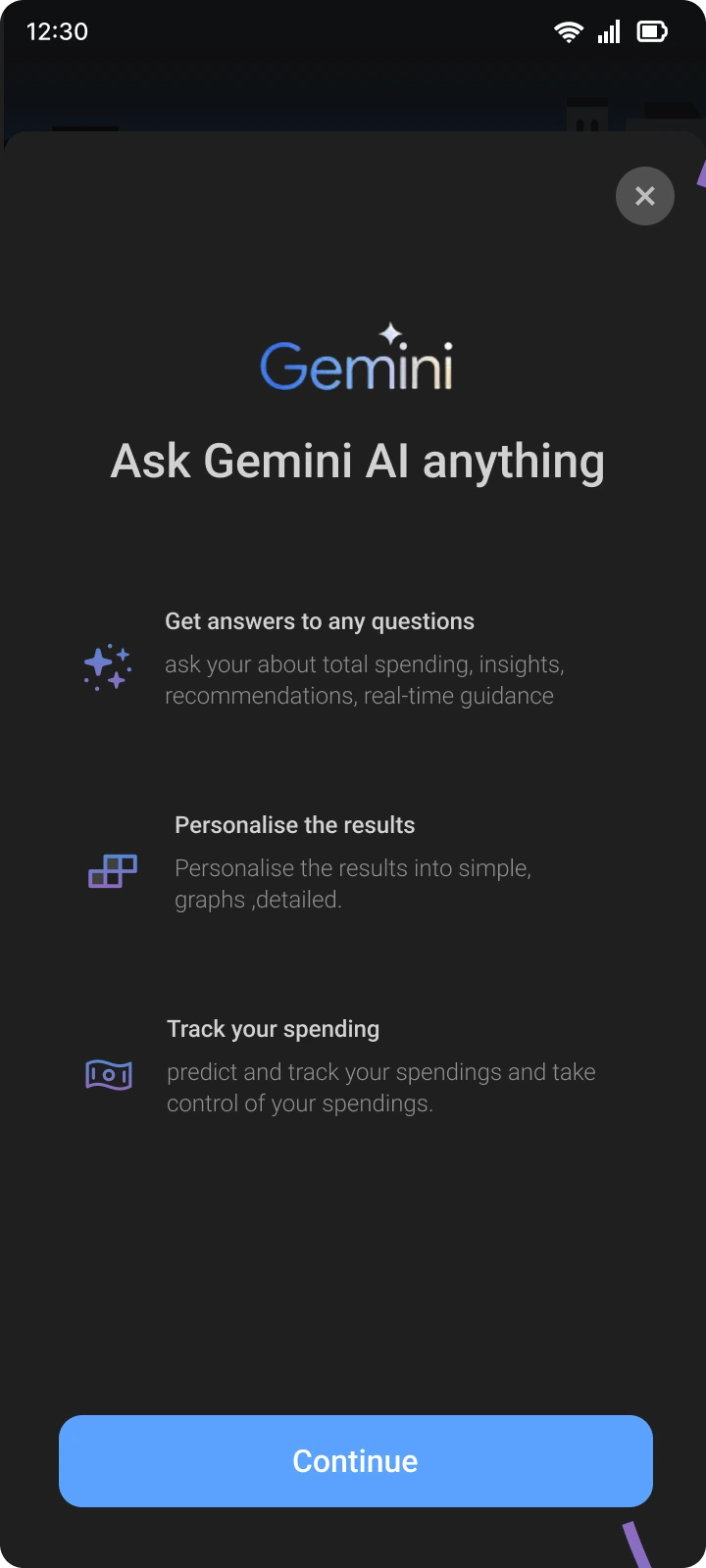
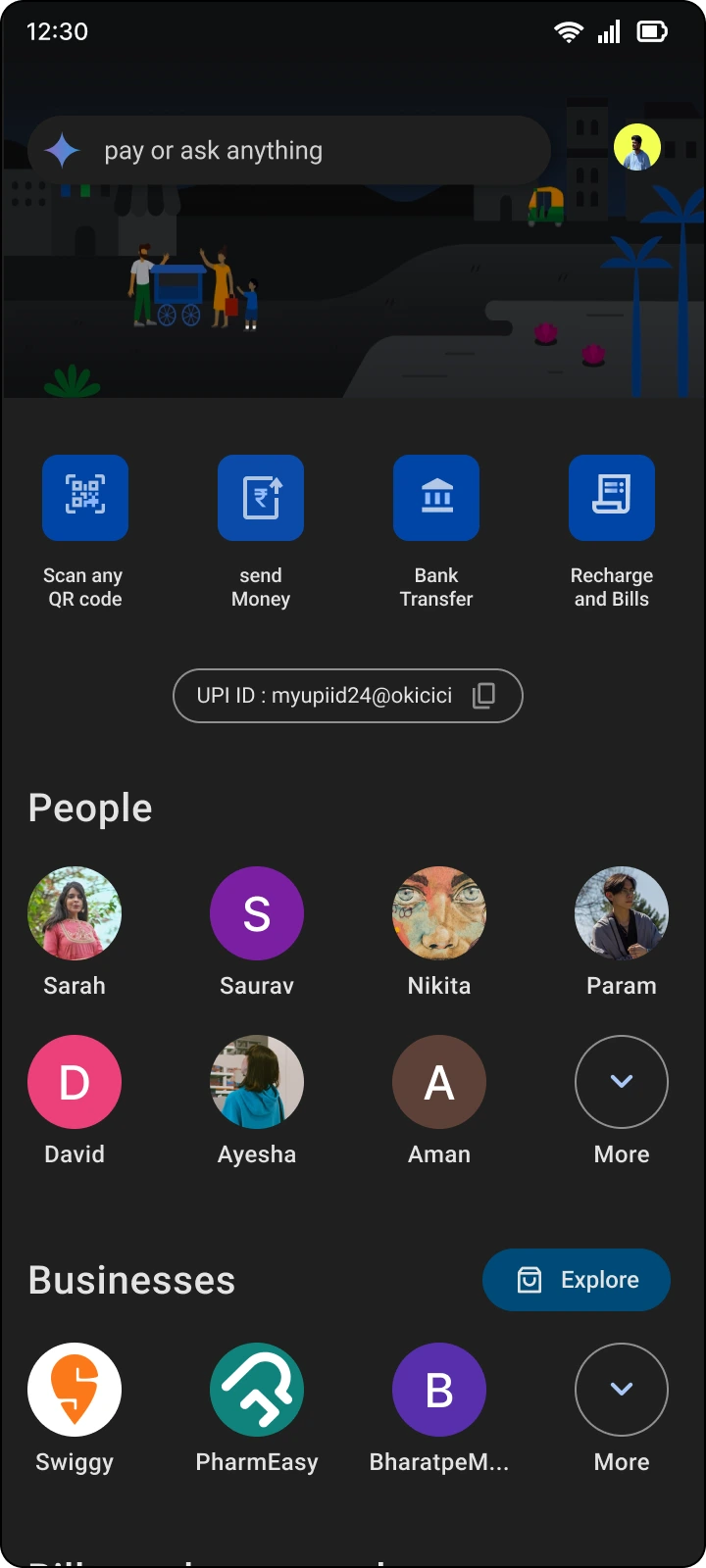
When Google Pay introduces the feature, a bottom sheet presents it, so nobody misses it. From then on, the prompt lives in the same search bar on the home screen.
Being guided
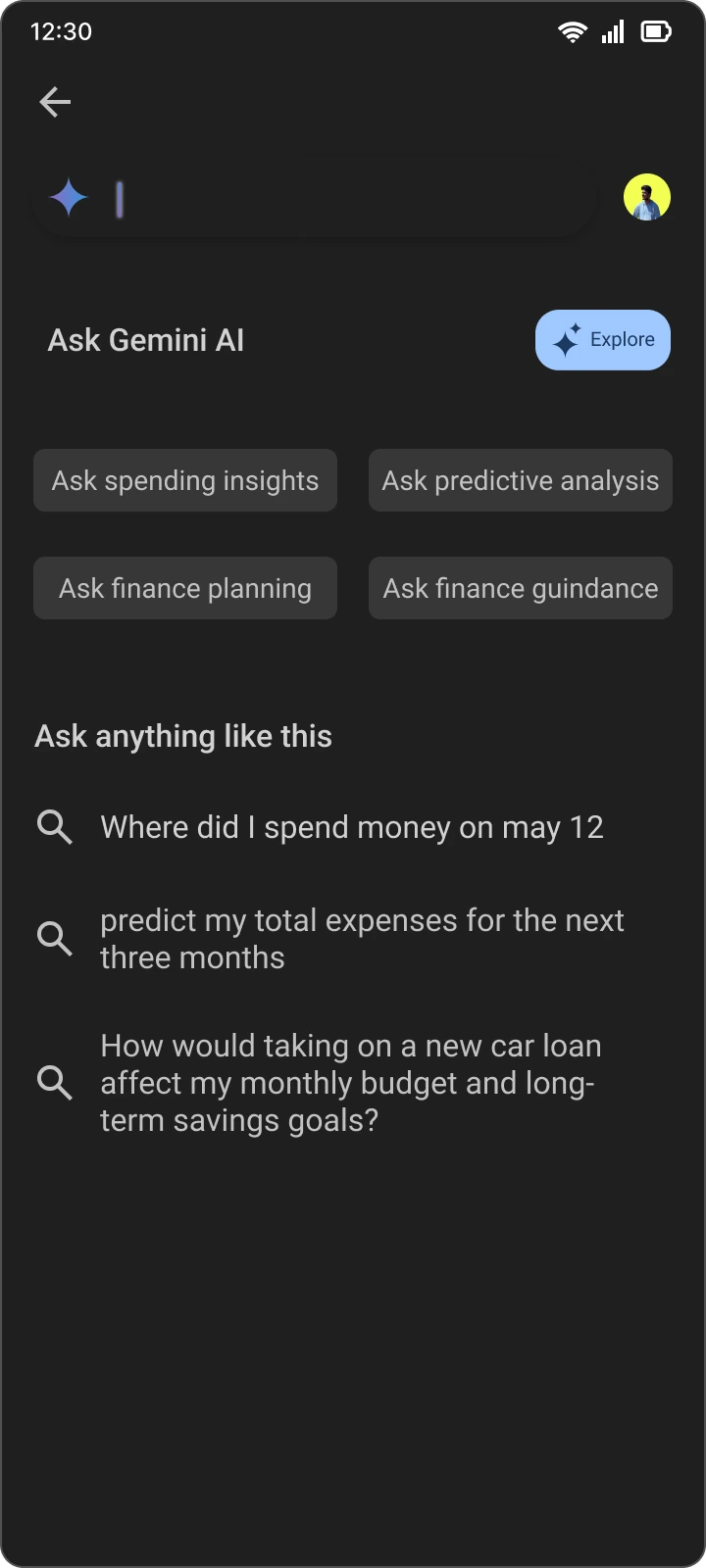
First-time users are walked through what they can ask, with categories and example questions. Returning users see their recent searches instead — recognition rather than recall.

When a search fails
If the system can’t answer, it says so plainly — and points to a search-help section with tips for better prompts, so the next attempt succeeds.

How it works
Questions range from a quick lookup to real financial planning. While Gemini works, a skeleton animation shortens the perceived wait; then the answer appears, with ways to reshape it.

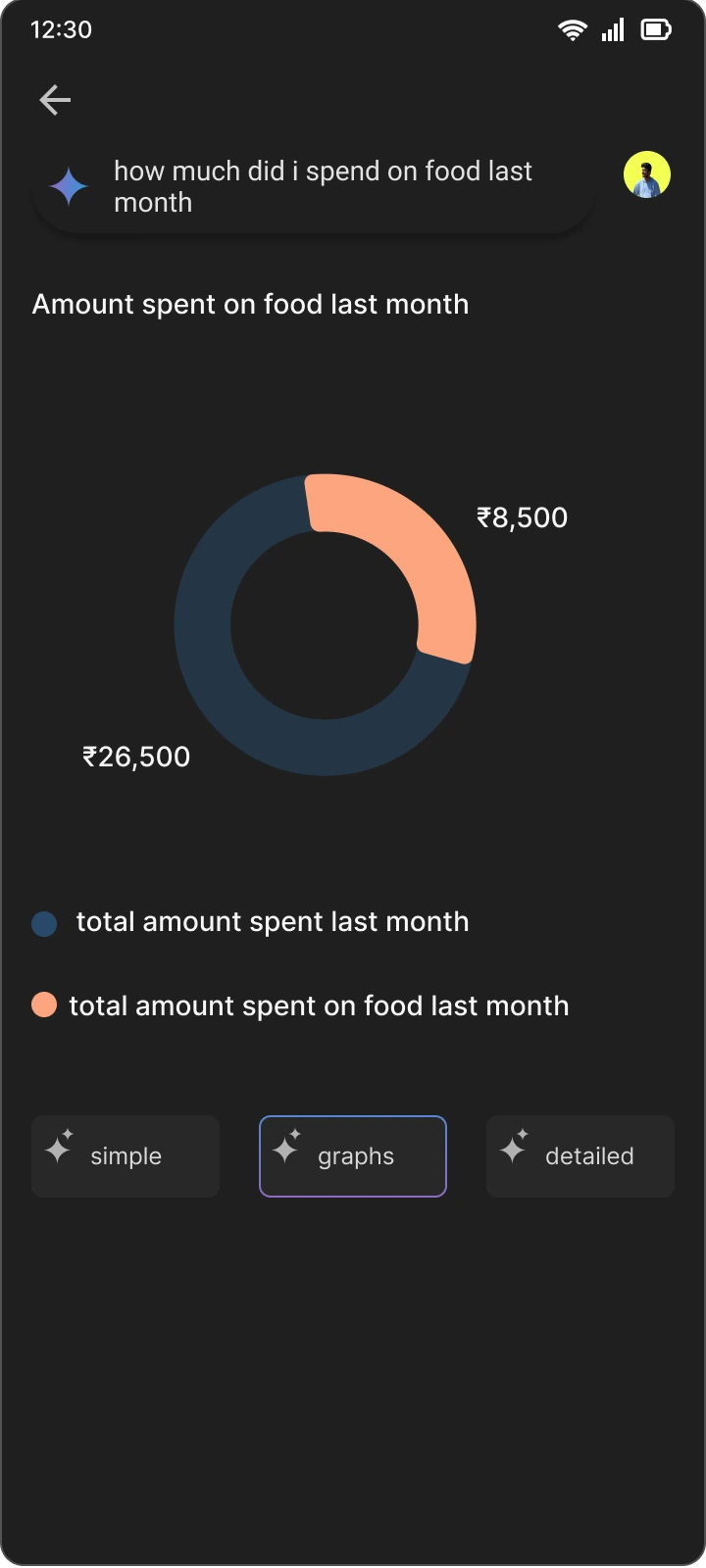
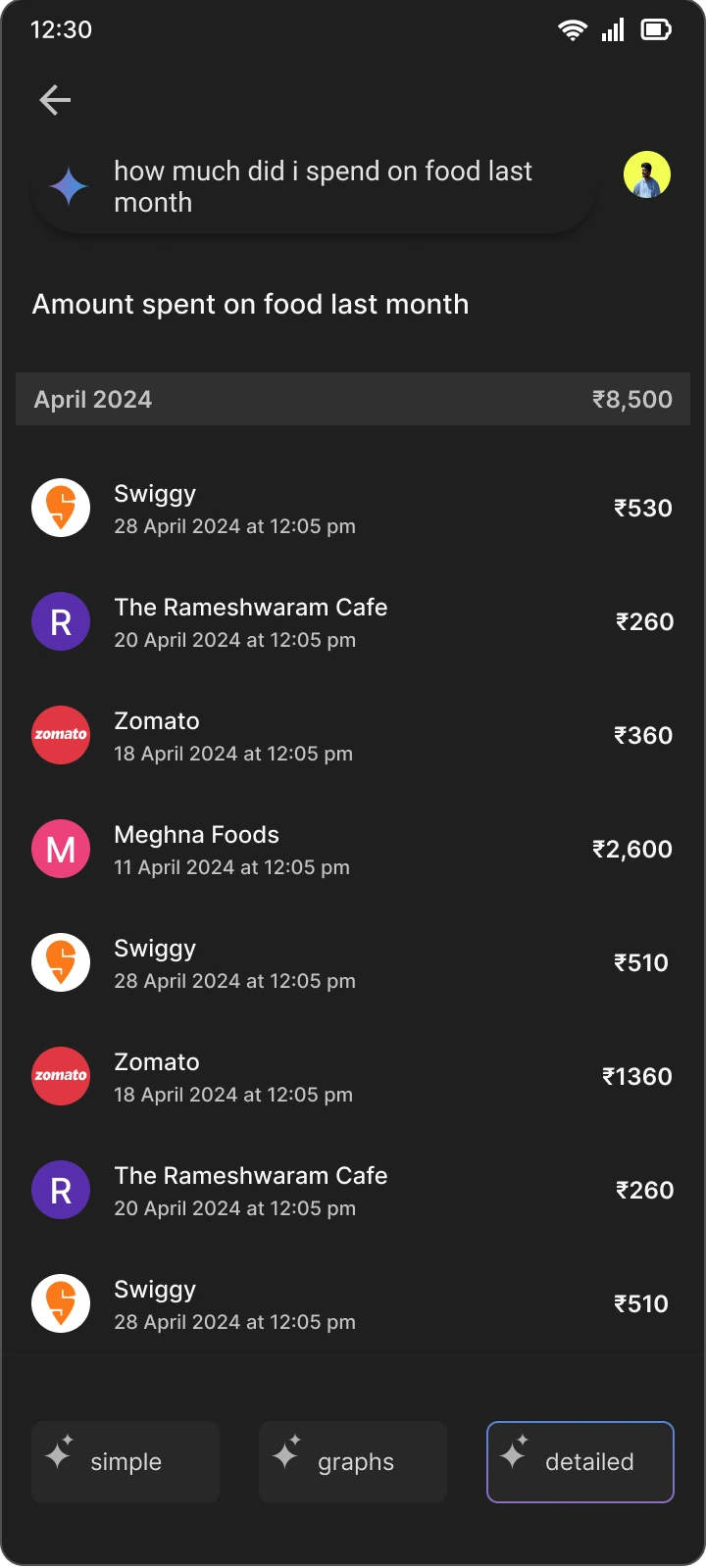
“How much did I spend on food last month?”
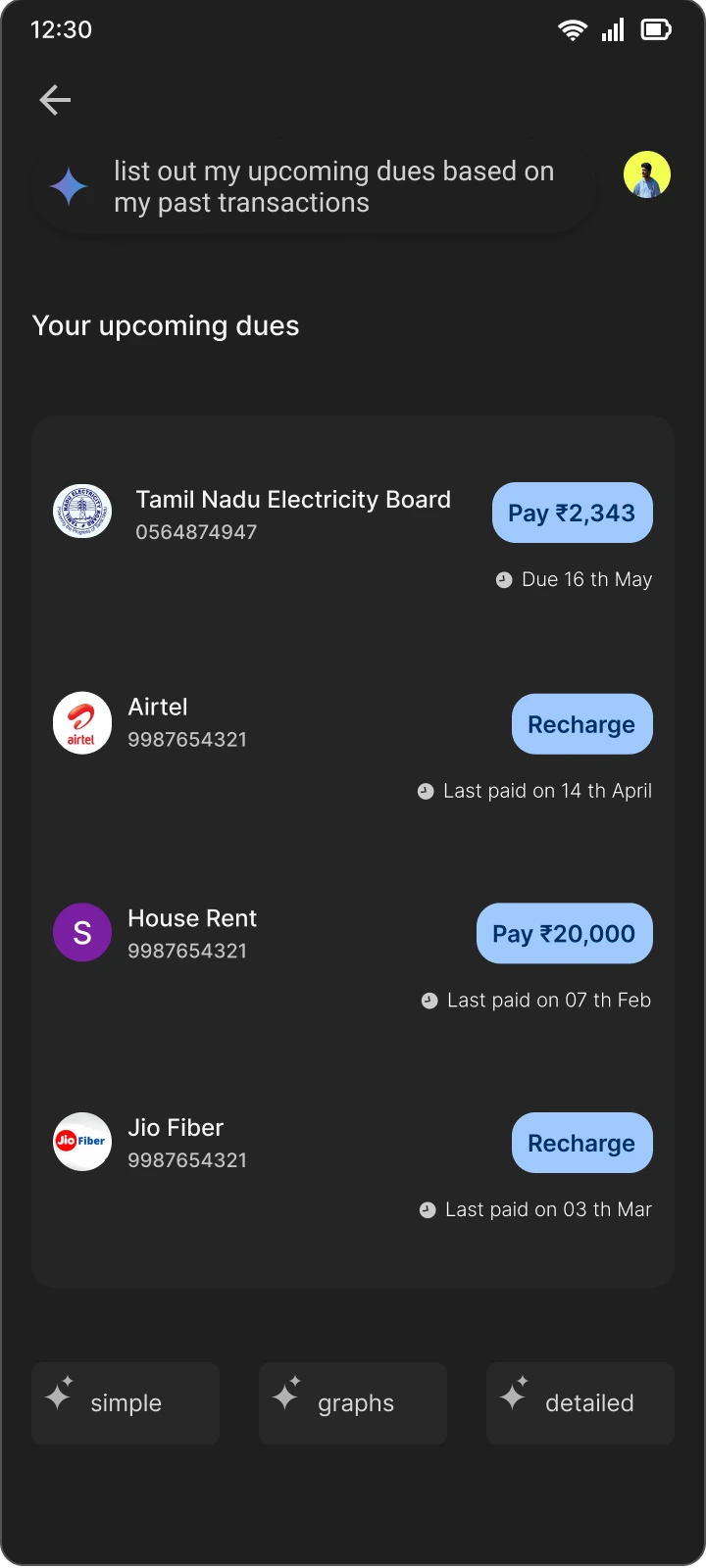
“List my upcoming dues from my past transactions” — with buttons to pay each one.

“My food budget is ₹5,000 this month — how much can I spend a day?”
Shaping the answer
Every answer can be reshaped to suit the person reading it.
- Simple
- A brief, direct answer, with no jargon and nothing extra.
- Graphs
- The same answer as a chart, to take in at a glance.
- Detailed
- The full picture: every transaction behind the number, with context.

Payments to local merchants
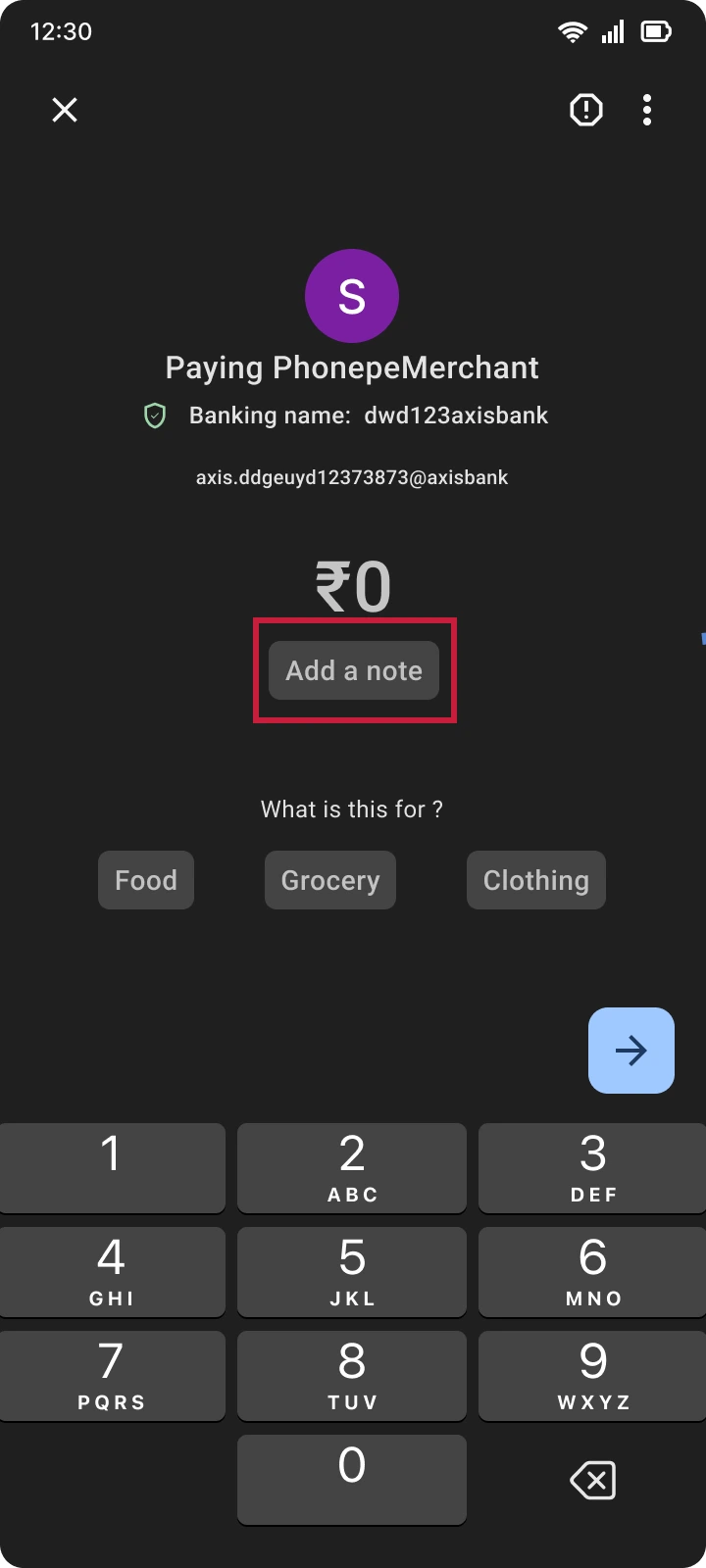
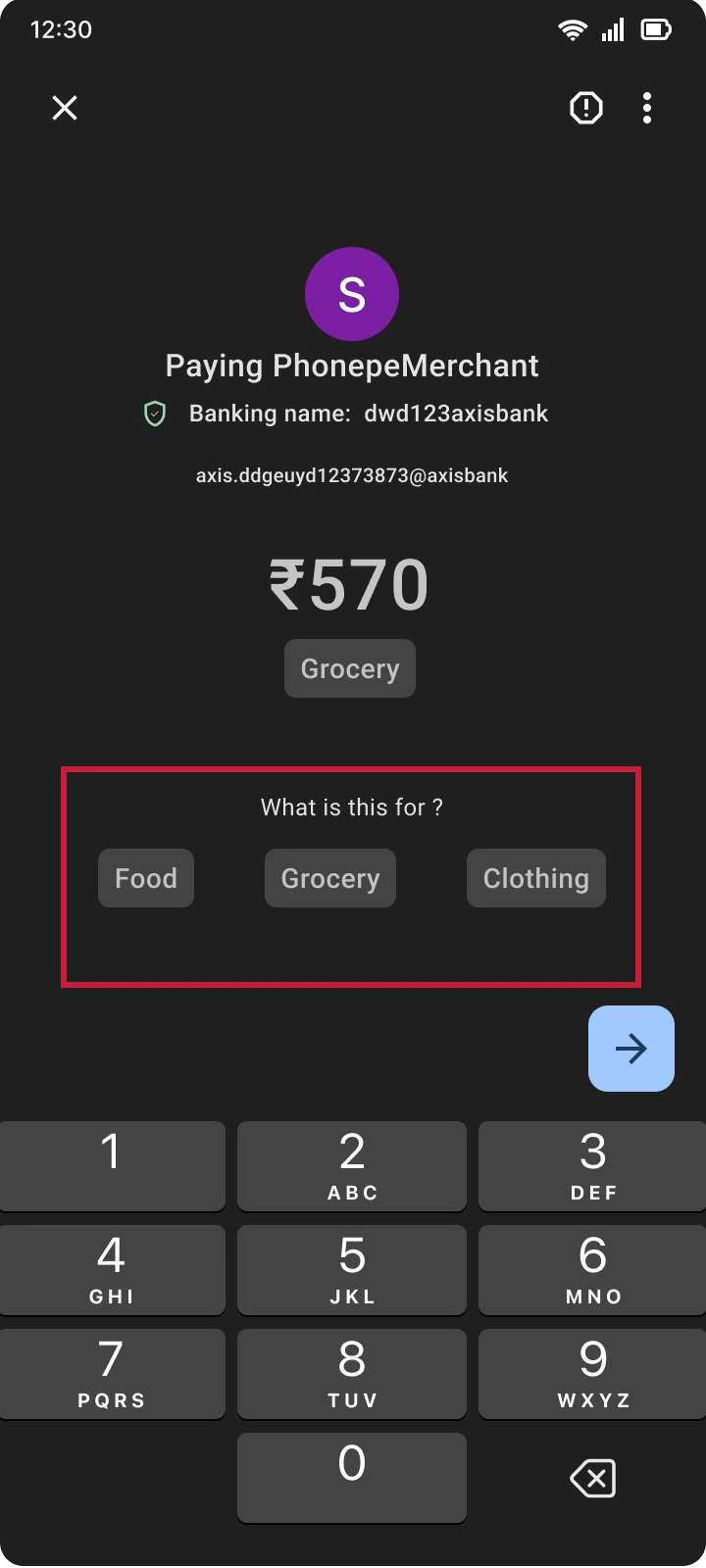
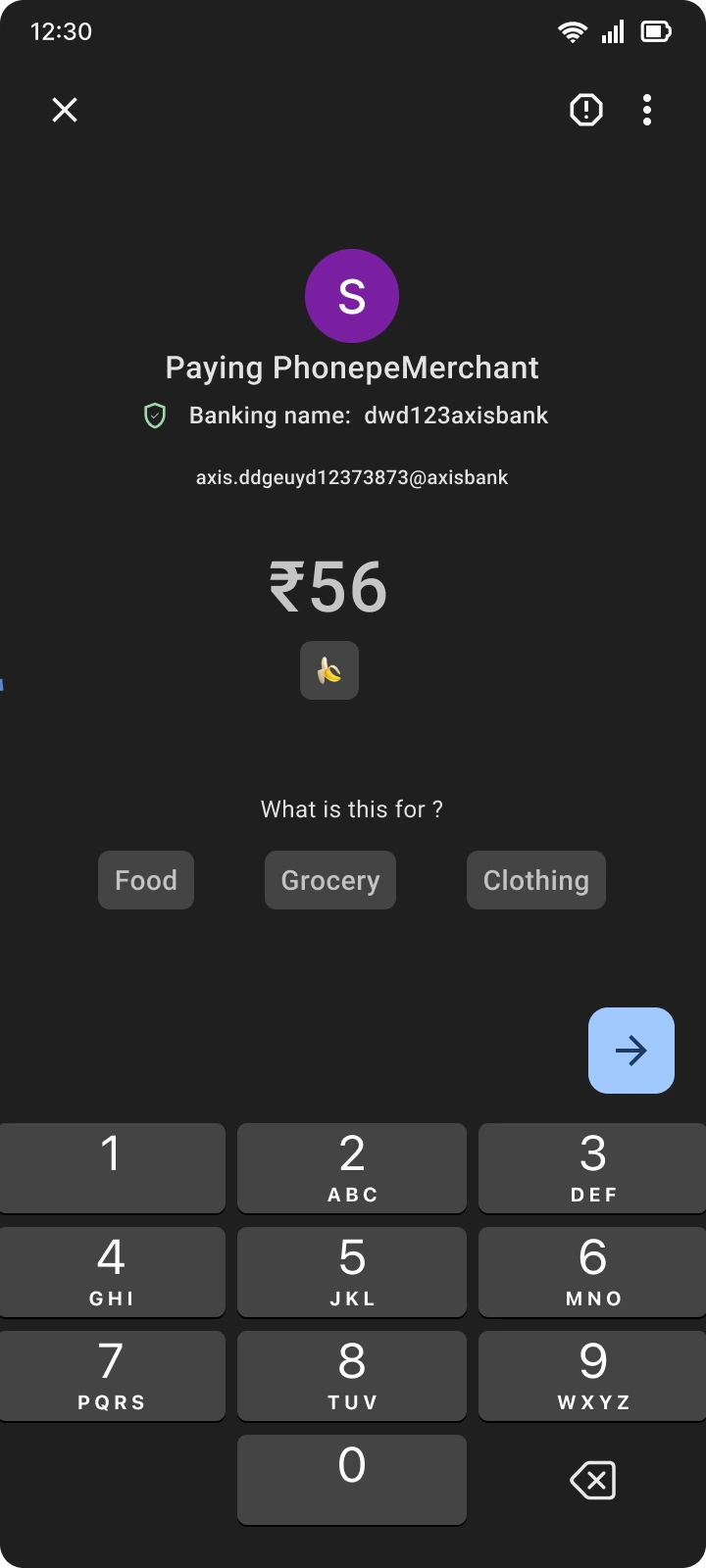
A payment to a local shop or restaurant arrives with no category, so it can’t be tracked. The fix happens at the moment of paying: add a note.
Things to ask
pay or ask anythingSimple
- How much did I pay to [contact]?
- Where did I spend money on May 12?
- How much did I spend in the last 10 days?
- Food or shopping — which did I spend more on?
- How much did I spend on food last month?
- Suggest a grocery budget based on my past spending.
Moderate
- How have my spending habits changed over the past year?
- Help me earn more rewards with GPay.
- Highlight any unusual spending in my recent transactions.
- Can you predict my upcoming bills from recent transactions?
- Help me make a realistic plan to save ₹10,000 in two months.
- Can you predict my total expenses for the next three months?
Advanced
- What if I increase my monthly savings by 20%? How would that affect my budget?
- Categorise my expenses differently.
- How much would I need to save each month to retire early and keep my lifestyle?
- How would a new car loan affect my monthly budget and long-term savings?
- How would investing part of my savings in stocks affect my finances?
- What if I moved to a city with a higher cost of living?
Limitations
- Non-text data
- Search may not cover images or videos.
- Context
- Vague terms can be hard to understand.
- History
- Data beyond a certain period may be out of reach.
- Privacy
- Sensitive information is deliberately left unsearched.
What’s next
- Usability testing
- To find what works, and what doesn’t.
- Voice
- Ask out loud.
- For merchants
- The same assistant in Google Pay for Business.
- Languages
- Multilingual support, for everyone who uses UPI.
In closing
I wrote this to show how a product designer can bring AI into an everyday app to give people more personal, more efficient answers. The apps to come will build in this kind of intelligence as a matter of course.
I used Google Pay to demonstrate it, but the idea fits any payments app — PhonePe, Paytm, PayZapp, CRED.
Thank you for reading to the end. I love talking about design: write to me.
Next case study